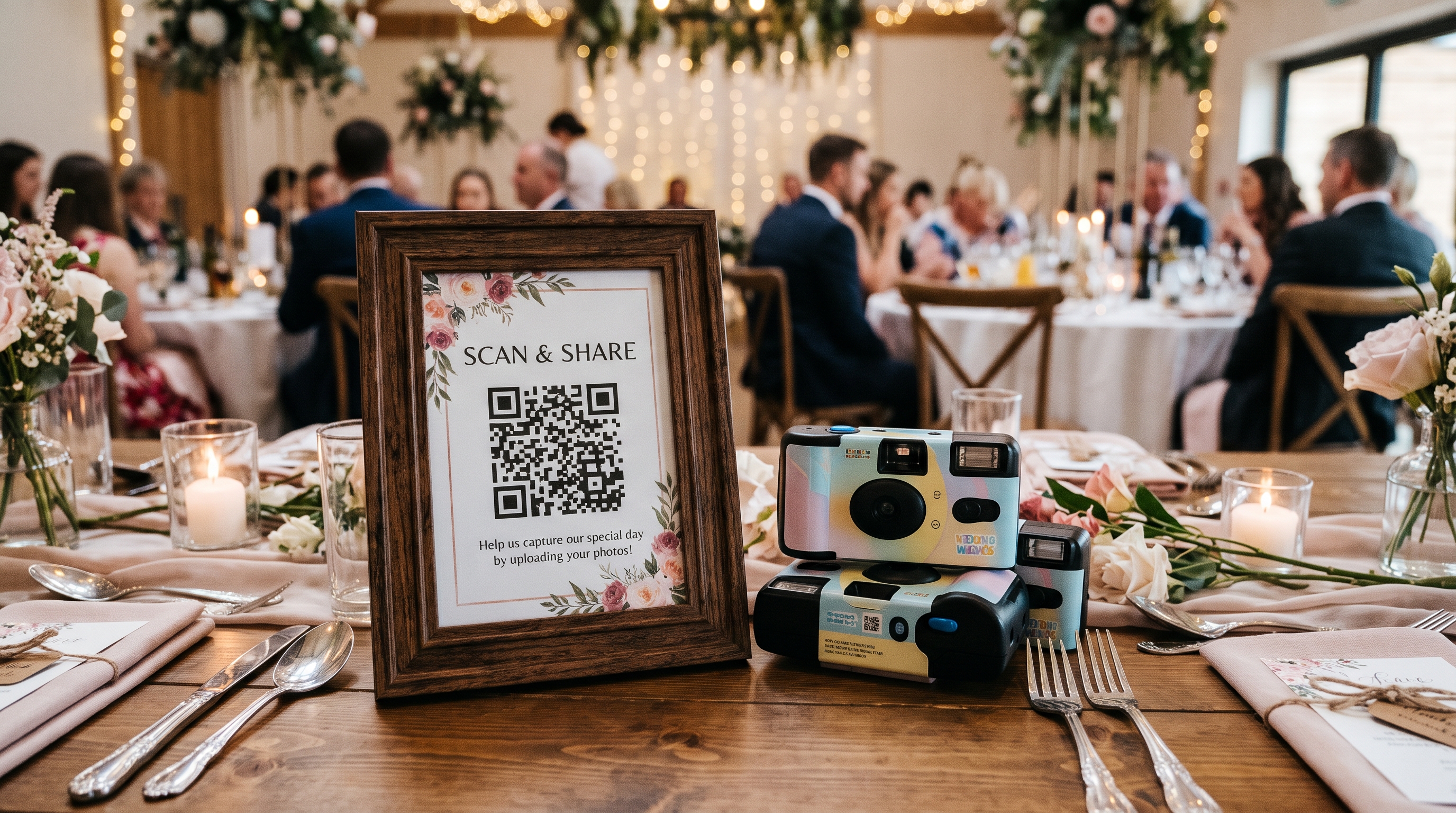
Disposable Cameras vs. QR Code Photo Sharing for Weddings

Sam Erickson
Disposable cameras are back on wedding tables everywhere, and it's easy to see why: there's something genuinely fun about the unpredictable, grainy look of film. But before you order a dozen for your reception, it's worth knowing the real cost and the real wait, and how it stacks up against a QR code photo gallery.
What disposable cameras actually cost
The cameras themselves are only part of the bill. Here's the full breakdown for a typical 100-guest wedding:
- Cameras: $12–$20 each, roughly 27 exposures per camera. At one per table (10–12 tables), that's $150–$300.
- Developing: $10–$20 per roll to process the film.
- Scanning to digital: Often a separate fee, another $5–$15 per roll if you want anything beyond physical prints.
- Reprints or extra prints: If you want copies for family, add more per set.
All in, a disposable camera setup for a 100-guest wedding typically runs $300 to $650 once developing and scanning are included. And that's before accounting for cameras that get left behind, lost, or never turned in at all.
The wait
The bigger trade-off isn't the price, it's the time. Film has to be physically collected from every table, dropped off at a store or mailed off, developed, and scanned before anyone sees a single image.
- In-store processing: 3–7 days at a one-hour photo counter, if one is still nearby.
- Mail-in developing: 1–2 weeks round trip, sometimes longer during busy wedding season.
- No preview: You find out which shots came out blurry, overexposed, or with a finger over the lens only after developing, with no way to retake them.
Most couples don't see a single disposable camera photo from their wedding until well after the honeymoon.
What a QR code gallery costs instead
A QR code photo gallery skips the physical camera, the developing, and the wait entirely. With Qrowd Pics, guests scan a code on their table card and upload directly from the phone they're already holding. Photos appear in your gallery instantly, in full resolution.
- ✓ Free tier available (up to 20 uploads) to test before your wedding
- ✓ Standard plan: $39 one-time fee, unlimited uploads, 6-month upload window
- ✓ Premium plan: $49 one-time fee, adds upload approval and a live full-screen slideshow
- ✓ Photos visible the moment they're uploaded, no developing, no scanning, no wait
Total cost: $39 to $49, flat, regardless of guest count. No camera to lose, no roll to drop off, and no risk of a ruined shot you can't retake.
Side-by-side comparison
| QR code gallery | Disposable cameras | |
|---|---|---|
| Typical total cost (100 guests) | $39–$49 | $300–$650 |
| Time until you see photos | Instant | Days to weeks |
| Review or retake a bad shot | Yes | No |
| Risk of total loss | None, saved instantly | Camera lost or never turned in |
| Nostalgic film look | No | Yes |
| Video support | Yes | No |
Why disposable cameras are trending anyway
None of this means disposable cameras are a bad choice. They're genuinely fun on a reception table. Guests like picking one up between courses, and the unpredictable, slightly imperfect film look has a charm no phone camera replicates. The trade-off is simply cost, wait time, and the risk of losing a camera before it's ever developed. Going in aware of that trade-off is the point, not talking anyone out of the nostalgia.
Why most couples end up using both
Disposable cameras and a QR code gallery aren't competing for the same job. A couple of disposable cameras on a few tables give guests something fun to interact with and a distinct keepsake aesthetic. A QR code gallery runs the entire event in the background, capturing what guests are already shooting on their phones. In practice, that's the vast majority of the photos and nearly all of the video from the day.
Running both costs roughly the same as disposable cameras alone, since the QR code gallery adds only $39 to $49 on top. You get the nostalgic film shots as a bonus, plus a guaranteed, instant, full-resolution archive of everything else.
How to collect and share your disposable camera photos
The hardest part of disposable cameras isn't taking the photos. It's getting them back from every table and into the hands of the people who were there. A little planning makes the film shots part of the same gallery as everything else.
- Put a QR code card next to every camera. Guests who run out of exposures can keep shooting on their phones, and a short line like “Film photos will be posted here after the wedding” tells them where to look later.
- Number the cameras and assign someone to collect them. Label each camera with its table number, set a basket by the exit, and ask a coordinator or bridesmaid to sweep the tables at the end of the night. Most lost cameras are simply left behind.
- Ask for digital copies when you get the film developed. Choose a developing service that emails you a download link, not just prints, and ask for JPEG files. That keeps each photo well under the 20 MB limit and ready to upload. If you used digital disposable-style cameras instead of film, you can skip this step and copy the photos straight off each camera's memory card.
- Upload every camera's photos to your Qrowd Pics gallery. Open your gallery link, select all the photos from one camera, and upload them in one go. They land right next to your guests' phone photos and videos. On the Premium plan, the name field lets you label each camera, for example “Table 6 camera.”
- Share the QR code in your thank-you notes. Print the code on your thank-you cards or a small insert. Guests get to see the film photos for the first time, plus every shot from the day in one place. The Standard and Premium plans keep uploads open for 6 months, so guests who never uploaded at the reception can still add the photos sitting on their phones.
The free plan's 1-day upload window closes long before developed film comes back, so pick Standard or Premium if you plan to add disposable camera photos later.
What about disposable camera apps like POV and Lense?
Some couples skip the film entirely and use a disposable camera app like POV or Lense. These apps recreate the experience on a phone, usually with a limited number of shots per guest and a “reveal” that keeps the photos hidden until after the wedding. Their pricing typically scales with guest count, so a bigger wedding costs more.
A QR code gallery takes a different approach. Instead of rationing shots, Qrowd Pics lets every guest share as many photos and videos as they want, taken with the phone camera they already know, in full resolution. Nobody runs out of shots halfway through the reception, and nobody skips the first dance because they were saving their last few. The price is the same flat $39 to $49 whether you invite 50 guests or 500.
| Guests | Qrowd PicsUnlimited photos and videos | POVPhotos only, limited shots per guest | LenseUp to 25 photos per guest, video extra |
|---|---|---|---|
| Up to 50 | $39–$49 | $14.99 | $14.99 |
| Up to 100 | $39–$49 | $34.99 | $34.99 |
| Up to 150 | $39–$49 | $64.99 | $44.99 |
| Up to 250 | $39–$49 | $89.99 | $69.99 |
| Up to 500 | $39–$49 | Contact for pricing | $99.99 |
Prices in USD as of October 2026, one-time fee per event. POV is photo only, with the host setting how many shots each guest gets. Lense charges an extra $10 for unlimited captures and $9.99 for video. Qrowd Pics includes unlimited uploads and video on both paid plans, and Premium ($49) adds the upload approval used for a reveal.
If the reveal is the part you love, you can still have it. Turn on upload approval with the Premium plan, and nothing appears in the gallery until you approve it. Guests keep uploading all night, and when you're ready, approve the photos and the whole gallery appears for everyone. Your thank-you notes make a natural moment for the big reveal.
Getting started
Setting up a Qrowd Pics gallery takes about five minutes: create an event, customize your gallery URL, download your QR code, and print it on your table cards alongside (or instead of) your disposable cameras.
Try the guest experience yourself first with the live demo, or create a free event to test the full upload flow before deciding on a plan.
Further reading
- How to Share Photos at a Wedding with Guests — practical tips on QR code placement, getting guests to upload, and sharing the gallery back with everyone.
- Best Way to Share Wedding Photos — a head-to-head comparison of every digital method couples use, from group chats to dedicated galleries.
- 8 Best Wedding Photo Sharing Apps 2026 — a ranked comparison of the top apps for collecting and sharing wedding photos.
- Wedding Photo Booth vs. QR Code Photo Sharing: Cost Compared — a real cost breakdown of a photo booth rental versus a QR code gallery, including hidden fees and whether you need both.
- New: Live Photo & Video Slideshow for Your Event — Qrowd Pics Premium's live full-screen slideshow displays every guest photo and video on a screen at your venue in real time.
Get every photo, instantly, for $39
No developing, no scanning, no waiting. Photos appear the moment guests upload.