Best Way to Share Wedding Photos

Sam Erickson
The best way to share wedding photos depends on what you're trying to solve: collecting candid shots from guests, or distributing your photographer's gallery back to everyone afterward. Most couples need to do both. Here's an honest comparison of every method, from group chats to dedicated QR code galleries, and which one actually works.
Method 1: Group chat (WhatsApp, iMessage, text)
Most couples' first instinct is to create a group chat and ask guests to drop their photos in. It feels natural because everyone already uses it. The problems appear almost immediately.
- Compression destroys quality. WhatsApp compresses photos to roughly 20% of their original file size. The candid of your first dance that your aunt took on a recent iPhone arrives looking like it was shot on a 2012 Android.
- Downloading is miserable. Saving 300 individual photos from a chat thread, one tap at a time, takes a full afternoon. There is no bulk download.
- The thread dies. Guests post enthusiastically for 24 hours and then forget. Anyone who didn't post in the first day rarely comes back to it.
- Not everyone is in the same app. Half your guests use iMessage, half use WhatsApp, your older relatives use neither, and someone will inevitably reply to the whole group for the next three months.
Verdict: Works for collecting a few photos from close family. Falls apart at any real scale.
Method 2: Shared cloud folder (Google Drive, Dropbox)
Sharing a Google Drive or Dropbox link sounds practical. One link, anyone can upload, no app required. In theory. In practice, this is where guest participation goes to die.
- Permissions are confusing. Guests click the link and are immediately met with a sign-in prompt or a permissions screen. Most give up before they get past it.
- File organization is a mess. Without structure, photos land in a flat folder with no way to know who uploaded what. One enthusiastic guest with 200 photos buries everything else.
- Storage limits apply. A wedding with 50 guests uploading in full resolution can easily eat through a free Google Drive account in one evening.
- No notifications. You have no idea when someone uploads. You check the folder days later and find a handful of photos from three guests, with no way to nudge the rest.
Verdict: Looks good on a spreadsheet. Produces a 10% participation rate in real life.
Method 3: Google Photos shared album
Google Photos has improved significantly and is a genuine step up from raw Drive. You can create a shared album, generate a link, and guests can contribute without you needing to manage individual permissions. The friction is lower than Dropbox.
- Google account required. Guests who don't have a Google account or who are logged into the wrong one on their phone can't contribute. This cuts out a meaningful percentage of guests immediately.
- iPhone guests need the app. Apple users don't have Google Photos installed by default. Asking someone to download an app at a wedding reception is asking a lot.
- Quality is generally preserved. This is a genuine advantage since original-resolution uploads are supported on recent Google Photos plans.
- No QR code access. You share a link, not a scannable code. A link buried in a text message is much harder to act on than a QR code on a table card that guests can scan in five seconds.
Verdict: The best free option, but the Google account requirement and missing QR code access limit participation compared to purpose-built solutions.
Method 4: iCloud Shared Album
For iPhone users, iCloud Shared Albums are a built-in option that requires no extra app. You create a shared album in the Photos app, generate an invitation link, and contributors can add photos directly from their camera roll. Quality is preserved and uploads appear instantly.
- Android guests are locked out. Viewing the album via a shared link works on Android, but uploading requires an Apple device. If any meaningful portion of your guests use Android, they can only look, not contribute.
- Invite-only by design. You add contributors individually using their Apple ID or email. For a wedding with 80 or 150 guests, setting this up in advance is not practical.
- 5,000 item limit. Large weddings with enthusiastic uploaders — especially if guests share videos — can hit this ceiling.
- No QR code access. Like Google Photos, the entry point is a link rather than a scannable code at the table. Fewer guests act on a buried link than on a QR code they can scan in seconds.
Verdict: A solid option for small, iPhone-heavy weddings where you know contributors in advance. Falls apart for larger guest lists or any group with significant Android users.
Method 5: Instagram and social media tagging
Asking guests to tag you on Instagram or use a wedding hashtag is a social share, not a photo collection strategy. You will receive filtered, cropped, square photos from guests who are active on the platform. Your relatives in their 60s and the guests who don't use Instagram, often the ones with the most interesting candids, contribute nothing.
Verdict: A supplement, not a solution. Fine for social buzz, useless for actually collecting photos.
Method 6: A dedicated QR code photo sharing gallery
The best way to share wedding photos, both collecting from guests and distributing to them, is a dedicated wedding photo gallery with QR code access. Here's why the other methods can't match it.
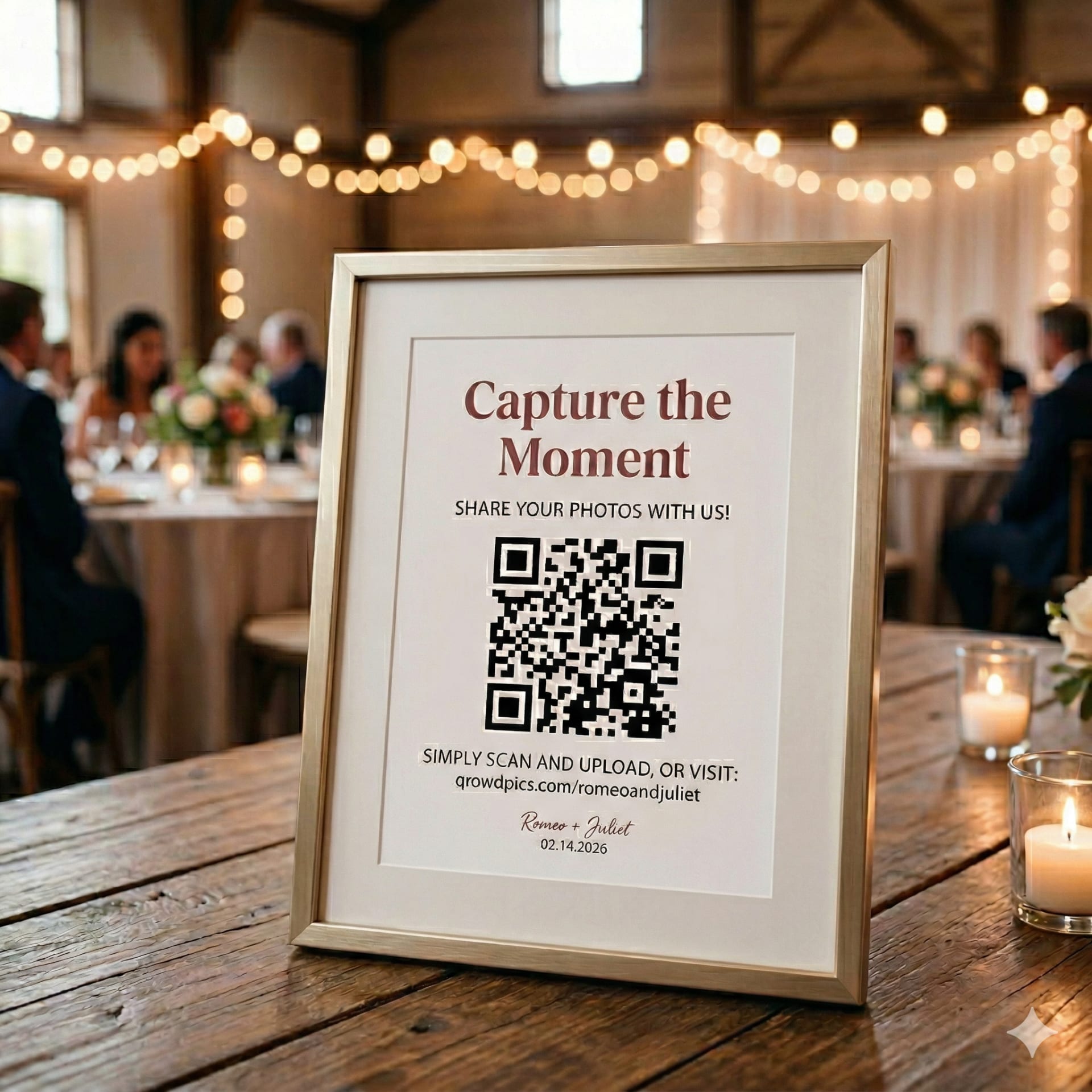
With a service like Qrowd Pics, you get a private gallery page with a custom URL and a printable QR code. Put the QR code on your table cards. Guests scan it with their phone camera — no app download, no account, no permissions screen — and they're directly on the upload page. Photos appear in your gallery in full resolution the moment they're uploaded.
- Works for every guest. Any phone with a camera can scan a QR code. It opens a browser page. No app, no account, no Google login required. Participation rates are dramatically higher than any other method.
- Full resolution. Photos are stored and downloadable in original quality with no compression, no cropping, and no filters.
- 6 months to upload, 1 year to download. Qrowd Pics keeps the upload window open for 6 months, so guests who didn't get around to it on the day can still contribute weeks later. Your entire collection stays available to download in full resolution for 1 year after the first upload.
- Bulk download. When you're ready, you can download everything as a ZIP file in one click. No tapping through individual photos.
- You control what stays. The Premium plan includes upload approval so you can review photos before they appear to other guests. All plans let you delete anything instantly.
Verdict: The clear winner. Highest participation rate, best photo quality, easiest to download. The QR code on a table card removes every friction point that kills participation with the other methods.
Quick comparison
| Method | App required | Compresses photos | QR code access | Cost | Verdict |
|---|---|---|---|---|---|
| WhatsApp / iMessage | Yes | Yes (~80% loss) | No | Free | Poor |
| Google Drive / Dropbox | No | No | No | Free | Poor |
| Google Photos | Yes (iOS) | No | No | Free | OK |
| iCloud Shared Album | No (iOS only) | No | No | Free | OK |
| Instagram hashtag | Yes | Yes | No | Free | Poor |
| Qrowd Pics | No | No | Yes | $39 | Best |
How to share wedding photos with family and friends after the wedding
Collecting photos from guests is one problem. Sharing the finished gallery back with everyone is a separate one. Once your gallery is complete, the simplest approaches are:
- Include the gallery link in your thank you notes. Thank you notes reach every guest. A line like “Our gallery is still open at [link] if you want to browse or add any photos” gives everyone access without requiring you to send individual messages.
- Add it to your wedding website. If your website stays live after the event, a link to the gallery there means family can find it any time without asking you for it.
- Post it in the group chat once. One message with the link lets you stop managing individual requests. Guests can browse and download without an account.
- Send directly to close family. For parents and siblings who want everything, you can download the full collection as a ZIP file from your admin console and send it directly. No third-party transfer tools needed.
With Qrowd Pics, your gallery stays downloadable in full resolution for 1 year after the first upload, so there's no pressure to distribute everything immediately after the wedding.
How to share wedding photos for free
If budget is the priority, Google Photos shared album is the best free option. It preserves quality and doesn't require everyone to have a specific app, though it does require a Google account to contribute.
Qrowd Pics also offers a free plan for smaller events that is limited to 20 uploads total, which works well for testing the experience before you commit. For a full wedding, the Standard plan is a one-time $39 fee with unlimited uploads, no subscription required. For most couples, that's a better trade than the participation hit that comes with a free solution.
The short answer
If you want the most photos, in the best quality, with the least effort on your wedding day: print a QR code on your table cards that links to a dedicated gallery. That's it.
Everything else — group chats, shared folders, social media hashtags — requires your guests to do more work and delivers worse results. The QR code removes every barrier between a guest taking a photo and that photo being in your permanent collection.
Further reading
- How to Share Photos at a Wedding with Guests — practical tips on QR code placement, getting guests to upload, and sharing the gallery back with everyone.
- 8 Best Wedding Photo Sharing Apps 2026 — a ranked comparison of the top apps for collecting and sharing wedding photos.
- Wedding Photo Booth vs. QR Code Photo Sharing: Cost Compared — a real cost breakdown of a photo booth rental versus a QR code gallery, including hidden fees and whether you need both.
- New: Live Photo & Video Slideshow for Your Event — Qrowd Pics Premium's live full-screen slideshow displays every guest photo and video on a screen at your venue in real time.
Set up your wedding gallery in minutes
No app download required for guests. One QR code, unlimited photos, one-time fee from $39.