How to Share Photos at a Wedding

Sam Erickson
There are two parts to how to share photos at a wedding: collecting shots from guests, and making the full gallery available for everyone to browse. Most couples only solve one half of the problem. This guide covers both — how to collect every candid your guests took, and how to share wedding photos back with everyone, without chasing anyone down.
Why guests don't share their photos
The problem isn't that guests don't want to share. It's that every method requiring effort eventually gets skipped. A guest who took 40 great photos during cocktail hour will intend to send them, open their camera roll later that week, feel overwhelmed by the number to sort through, and never follow through.
Even when couples ask directly, the conversion rate is low. Texting 40 photos is annoying. Emailing them requires knowing an address. Uploading to Google Drive requires an account and navigating permissions. Each barrier causes drop-off. The methods that work are passive: they make the path from "I took a photo" to "it's in the couple's album" as short as possible, ideally during the reception when guests are already holding their phones.
6 ways to share photos at a wedding
Here are the main approaches couples use, from free DIY options to purpose-built apps. Each has real trade-offs worth knowing before your wedding day.
- 1. QR code photo sharing app. Guests scan a code on their table card, which opens a shared gallery in their phone browser. They upload directly from their camera roll, no account or app download required. The gallery collects everything in one place and you can download it all as a ZIP file. This is the approach most couples are switching to because it works passively throughout the day without any effort from guests.
- 2. Wedding hashtag on Instagram. You pick a hashtag, print it on signage, and ask guests to tag their public posts. It costs nothing and requires no setup. The downsides: guests need to post publicly to make it work, photos get compressed by Instagram, videos are often cut short, and you have no reliable way to collect everything in one place after the wedding. Works well as a supplement to another method, not as your primary strategy.
- 3. Google Photos shared album. Free and familiar. You create an album, generate a link, and guests can view and add photos. The catch is that guests need a Google account to upload. Anyone without one or not signed in on their phone cannot contribute. Good for small gatherings where you know every guest has Google.
- 4. iCloud shared album. Similar to Google Photos but Apple-only. Android users cannot upload. If your guest list is entirely iPhone users, it works. For a mixed crowd, you will lose Android contributors entirely.
- 5. Google Drive or Dropbox folder. Straightforward in theory. You share a link, guests upload files. In practice, the permissions screen confuses guests who are not already familiar with the service, and many give up before uploading. Storage limits also become an issue quickly with full-resolution video files.
- 6. Disposable cameras on the tables. A fun, tactile option that gives guests something to interact with during dinner. The downside is that you get physical prints or a scanning fee, delivery takes days or weeks, and you have no digital originals without paying for scanning. Best used as a complement to a digital option rather than a replacement.
Sharing the gallery with guests
A shared photo gallery solves both sides of the problem. Guests get a link via QR code, your wedding website, or a text that opens a gallery in their browser. They can browse every photo uploaded by other guests, download their favorites, and add their own shots, all in one place. No one needs an account or an app.
With Qrowd Pics, the gallery is live the moment a guest scans the QR code. As the wedding day unfolds, the gallery fills up in real time. Guests who arrive late to the reception can already browse photos from the ceremony. By the end of the night, the couple has a shared collection that everyone contributed to and everyone can enjoy.
The problem with other methods
Most couples try one of three approaches, and all three have the same result: you end up with a fraction of the photos you could have had.
- WhatsApp or group chat. Works for the first day. Then people forget to post, the thread gets buried, and downloading 80 individual images one by one takes up your entire Saturday afternoon.
- Google Drive or Dropbox link. Tech-savvy guests might figure it out. Everyone else opens the link, gets confused by the permissions screen, and gives up. And if your guests upload enough high-resolution photos, you'll quickly hit your storage limit before the honeymoon is over.
- Just ask people to tag you on Instagram. You'll only get a few photos and they'll all be filtered.
The common problem: every method requires guests to do something unfamiliar on a day when they're dressed up, enjoying themselves, and not in the mood to troubleshoot a cloud storage link.
The simplest method: a shared QR code gallery
The approach most couples are switching to is a dedicated wedding photo-sharing gallery. This is a private web page where guests can upload directly from their phone camera, no app download or account required. You get one QR code. Guests scan it at any point during the day, tap upload, and their photos appear in your gallery instantly.
Print the QR code on your table cards, add it to your order of service, or put a sign near the entrance. The more places it appears, the more photos you collect.
With Qrowd Pics, there are no storage caps. Guests can upload an unlimited number of photos and videos. The upload window stays open for 6 months after the wedding, so guests who took photos but forgot to upload on the day can still add them later. You can download everything in full resolution at any time for up to 1 year after the wedding.
Where to put the QR code
Placement makes the difference between only getting 20 uploads and instead getting 200+. The best spots for your QR code:
- Table cards. Guests are sitting, they have time, and they're already looking at the table. This is the highest-converting placement.
- Welcome sign at the entrance. Catches guests as they arrive and sets the expectation early.
- Order of service / ceremony program. Guests hold this for an hour. A note at the bottom — "Scan to add your photos to our shared album" — is impossible to miss.
- Bar and photo booth area. People with drinks in their hands take the most photos. Put the code where they'll see it.
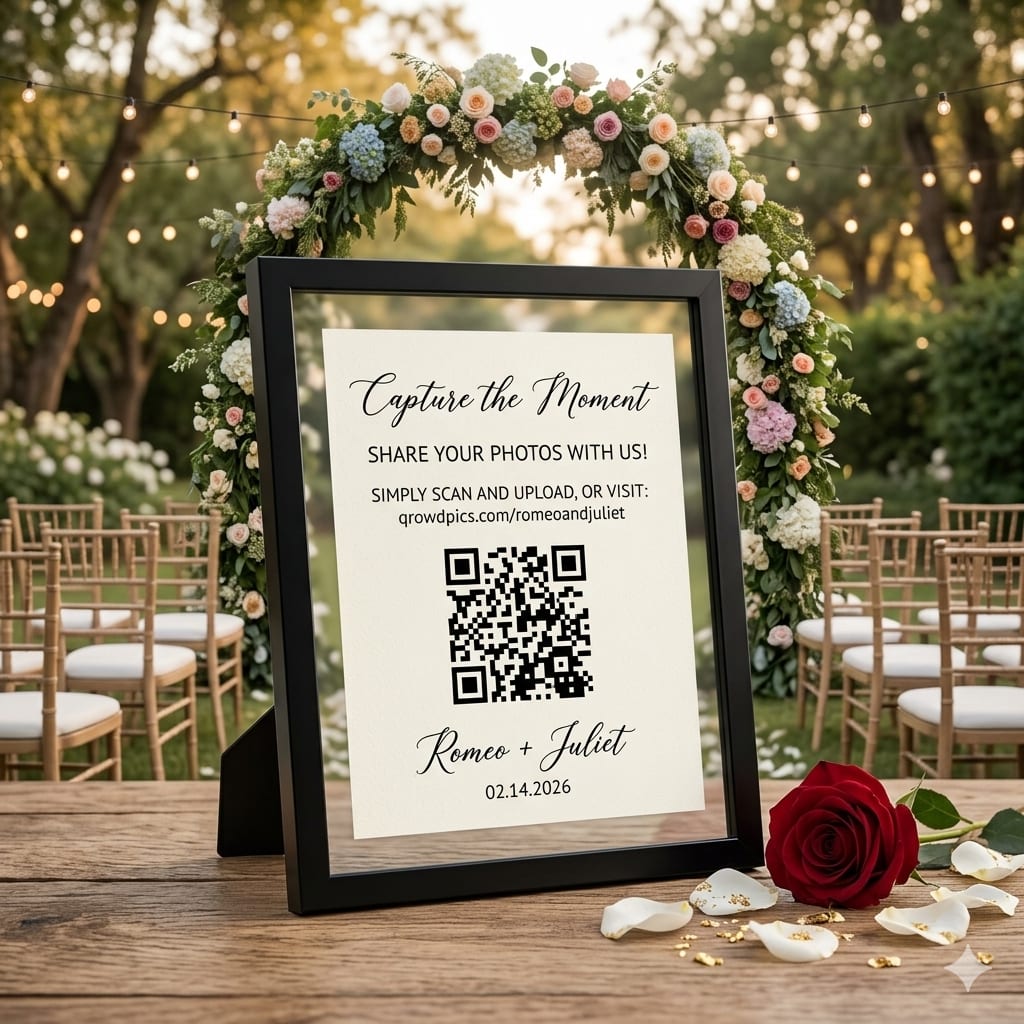
- A framed sign near the cake or sweetheart table. People gather here for photos throughout the night.
Before the wedding: set up early
The couples who collect the most photos set up their gallery before the wedding and give guests a chance to find it in advance. A few ways to do that:
- Add the QR code to your wedding website. Guests visit your wedding website in the days before the event. A short line like “We'll be collecting photos from the day here” with the gallery link primes them to use it before they even arrive.
- Include it in your digital invitations or day-of details email. If you send a final email to guests with directions, parking, or schedule information, add the gallery link at the bottom. Guests who open it on the day will already have the link saved.
- Put it in the group chat before the day. Drop the gallery link in the bridal party or family group chat a day or two before. These guests will be the first to upload and their photos encourage others to follow.
- Print your QR code early and test it. Scan your own QR code with two or three different phones before printing anything. Make sure the gallery loads, the upload button is visible, and the URL is correct. A broken QR code on the day cannot be fixed.
How to collect photos from your wedding guests
The QR code gets people to the gallery. These small nudges get them to upload:
- Announce it. Have your officiant or DJ mention the QR code twice during the reception. One announcement early, another mid-evening. A simple "If you've taken any photos tonight, please scan the code on your table and add them to the couple's shared album" is enough.
- Make it feel like a gift. Frame the request as contributing to the couple's memory, not as a task. "Help us capture every moment" works better than "upload your photos here."
- Include the QR code in your thank you notes. Thank you notes go out weeks after the wedding, when guests have had time to sort through their camera roll. A line like "Our photo gallery is still open. We'd love to see any shots you took" alongside the QR code gives a natural second chance to collect photos you might have missed on the day.
- Leave the gallery open. Some of the best photos come from guests who took their time editing or just forgot. A gallery that stays open for weeks or months catches these stragglers automatically. Qrowd Pics allows guests to upload memories up to 6 months after your wedding.
How many guest photos should you expect?
It depends on guest count, QR code placement, and whether you make announcements, but here are rough benchmarks:
- Table cards only, no announcement: 30–80 uploads for a 100-guest wedding.
- Table cards + two announcements: 100–200+ uploads for the same guest count.
- Table cards + announcements + bridal party seeded early: 200–400 uploads, with more arriving in the weeks after.
The announcement is the biggest lever. Couples who skip it collect roughly half the photos of couples who use it.
What about guests who aren't tech-savvy?
Any phone with a camera app can scan a QR code. It's built into iOS and Android without any additional downloads needed. If a guest is uncertain, they can also type the customizable gallery URL directly into their browser. The upload process itself is identical to attaching a photo to a text message, which almost everyone is comfortable with.
In practice, guests who are hesitant at first become enthusiastic once they see the gallery filling up in real time. Watching their photos appear alongside everyone else's makes the upload feel worthwhile.
Protecting your gallery from unwanted uploads
If you're concerned about the occasional inappropriate upload, Qrowd Pics' Premium plan includes an approval setting that lets you review each photo before it appears to other guests. All plans, even Free and Standard, allow you to delete any upload at any time from the admin console.
In reality, wedding guests uploading to a couple's private gallery are on their best behavior. Most couples use the Standard plan without moderation and never have an issue.
What to write on your wedding photo sharing sign
The wording on your sign or table card determines whether guests actually scan it. Keep it short, warm, and specific. Here are a few versions that work:
- Table card (one line): “Scan to add your photos to our wedding album.”
- Table card (two lines): “We'd love to see your photos from today. Scan to add yours to our shared album.”
- Welcome sign: “Help us capture every moment. Scan the QR code to upload your photos and videos to our wedding gallery. No app needed.”
- Order of service: “Share your photos with us. Scan the QR code on your table card to add them to our shared gallery.”
Avoid technical language (“upload to cloud storage”, “shared folder”). Guests respond better to the outcome (“add to our wedding album”) than to the mechanism.
What to say when sharing wedding photos with guests
Whether you're announcing it on the night or sharing the gallery afterward, here are a few word-for-word scripts:
- Officiant or DJ announcement during the reception:
“If you've taken any photos or videos tonight, the couple would love to see them. There's a QR code on your table. Scan it to add your shots to their shared wedding album. It takes less than a minute and they'll have your photos forever.” - Thank you note (after the wedding):
“Our wedding gallery is still accepting photos if you haven't uploaded yours yet. We'd love to see them. Add yours at [your gallery link]. You can also browse and download any photos you'd like to keep.” - Group chat message (after the wedding):
“Here's the link to our wedding gallery: [link]. You can browse everyone's photos and add any of yours. The upload window stays open for 6 months so there's no rush.”
A note on professional photographers
A shared guest gallery complements your photographer. It doesn't replace them. Your photographer captures the posed portraits, the ceremony, the details you asked for. Your guests capture everything else: the laughter between speeches, the children running around during cocktail hour, the moment your grandmother saw you in your dress for the first time. Both sets of photos tell the story of your day. You want both.
How to share wedding photos with guests after the wedding
Sharing photos back with guests is the other half of the equation. With a shared gallery, you don't need to send anyone anything. Guests who uploaded or visited during the reception already have the link, and it stays live for 6 months. But for guests who missed the QR code on the day, or who asked for photos afterward, the simplest approach is:
- Send the gallery link in your thank you notes. A direct link (e.g. qrowdpics.com/yourwedding) takes seconds to include and gives every guest access to the full collection. It also doubles as a reminder to upload any photos they haven't added yet.
- Share it on your wedding website. If your wedding website stays live after the event, add the gallery link there. Guests who check in for vendor reviews or to relive the day will find it naturally.
- Post it in the group chat. Once, with a note that the gallery is the permanent home for all the photos. This lets you stop managing individual requests for photos.
Because Qrowd Pics galleries are viewable without an account, guests can browse and download individual photos directly from their browser. You don't need to export, compress, or transfer anything.
Getting started
Setting up a wedding photo gallery takes about five minutes. You create an event, customize your gallery URL, download your QR code, and share the link or print the code on your signs and programs. There's no technical setup required and no subscription. Qrowd Pics wedding galleries are a one-time fee, starting at $39.
You can try it for free before your wedding using the live demo, or you can start by creating a Free event (limited to 20 uploads) to test the experience and upgrade to Standard or Premium later.
Further reading
- Best Way to Share Wedding Photos — a head-to-head comparison of every method couples use, from group chats to dedicated galleries.
- 8 Best Wedding Photo Sharing Apps 2026 — a ranked comparison of the top apps for collecting and sharing wedding photos.
- Wedding Photo Booth vs. QR Code Photo Sharing: Cost Compared — a real cost breakdown of a photo booth rental versus a QR code gallery, including hidden fees and whether you need both.
- New: Live Photo & Video Slideshow for Your Event — Qrowd Pics Premium's live full-screen slideshow displays every guest photo and video on a screen at your venue in real time.
Ready to collect every guest's photos?
Set up your wedding gallery in minutes. No app download required.