8 Best Wedding Photo Sharing Apps 2026

Sam Erickson
Your photographer captures the ceremony, but your guests capture everything else: the candid table moments, the tearful toasts, the children running between legs on the dance floor. The best wedding photo sharing apps in 2026 make collecting those photos effortless. No chasing group chats, no compressed images, no asking your maid of honor to AirDrop you 200 photos. We tested 8 of the most popular options and compared their real pricing, upload windows, and guest experience so you don't have to.
What to look for
Before diving into specific apps, these are the features that actually matter on your wedding day:
- No app download required. If guests have to install something, most of them won't bother. The best solutions work entirely in the browser.
- QR code access. A scannable code on table cards is the lowest-friction way to get guests into the gallery. Every phone camera can scan one natively.
- Unlimited uploads. A cap on photos means you may miss memories. Look for unlimited plans, especially for larger weddings.
- Full-resolution downloads. Compressed photos are not useful for printing. Make sure you can download in the original quality.
- Moderation controls. Weddings occasionally attract an inappropriate upload. An approval setting or instant delete is worth having.
- Transparent pricing. Many apps charge a monthly subscription even for a one-day event. A one-time fee is almost always better value.
The apps
1. Qrowd PicsOur Pick
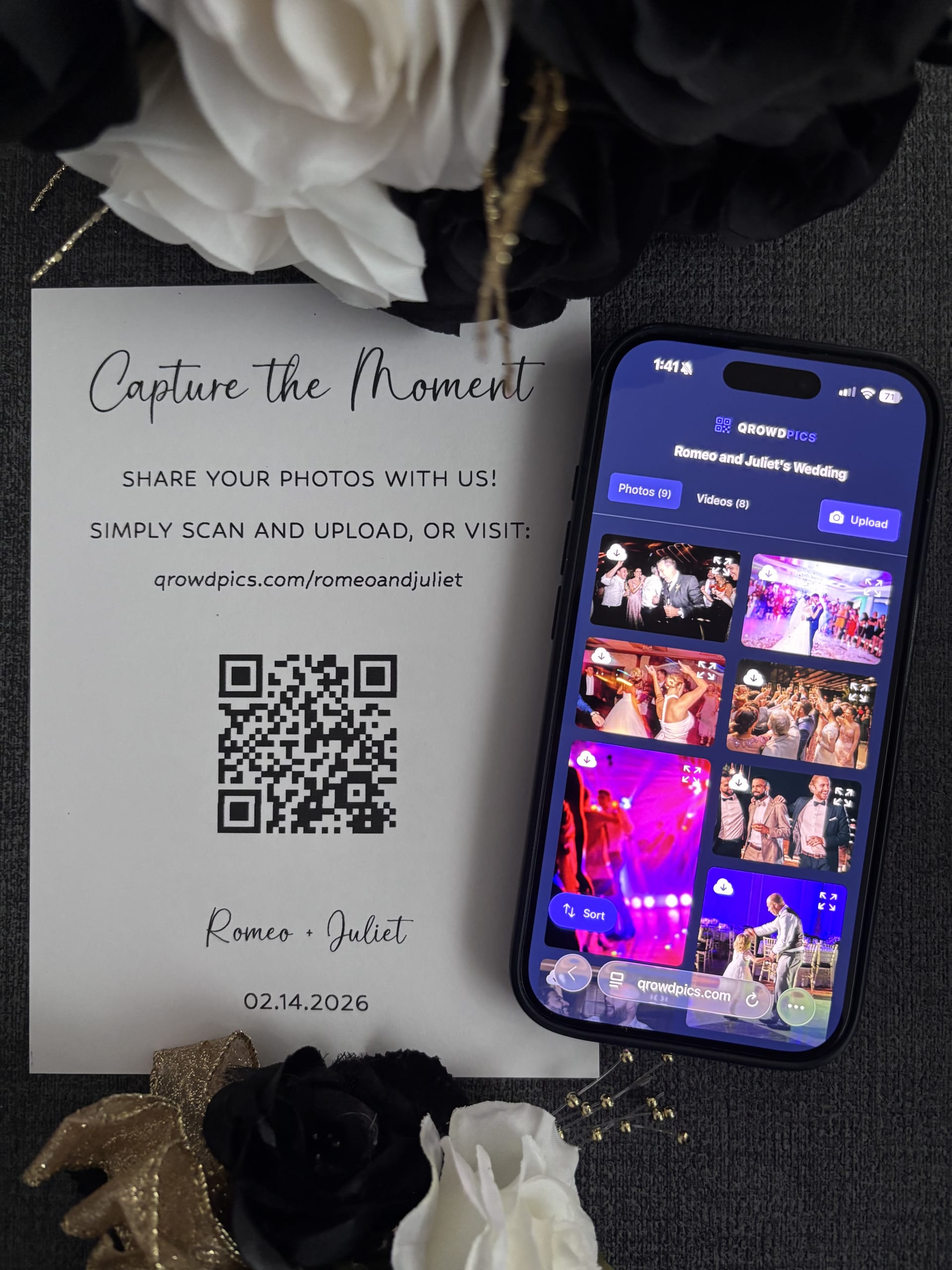
Qrowd Pics is built around a single principle: guests should be able to upload without downloading anything or creating an account. You generate a QR code, print it on your table cards, and guests scan it to access a shared gallery where they can upload directly from their phone's camera roll.
Pricing is a one-time fee of $39 for the Standard plan (unlimited uploads, 6-month upload window, 1-year download window) or $49 for Premium (adds upload approval, guest name and message collection, and a live full-screen slideshow). There is no subscription. You pay once per event.
- ✓ No app download or account required for guests
- ✓ Unlimited photos and videos
- ✓ Full-resolution downloads individually or as a ZIP
- ✓ Upload approval on Premium plan
- ✓ Live full-screen slideshow on Premium plan
- ✓ One-time fee, no subscription
- ✓ Customizable gallery URL
Best for couples who want a no-friction, affordable solution and don't want to pay a monthly fee for something they only need once. You can try it before buying with the live demo.
2. Kululu
Kululu covers a broad range of event types like birthday parties, corporate events, and graduations rather than focusing exclusively on weddings. It appears frequently in searches across those categories, which reflects its general-purpose positioning.
The pricing limitations are worth noting. The Plus plan is $39 but caps uploads at 500 photos and videos, keeps the gallery active for only 1 month, and saves uploads for just 3 months. For a wedding where guests may continue uploading after the event, that window is very short. Unlimited uploads require the Pro plan at $99, which extends storage to 1 year but still limits the active upload period to 3 months. For a single wedding focused on collecting and keeping memories, Qrowd Pics offers a longer upload window and unlimited photos at a lower entry price.
3. Guestpix
Guestpix is one of the most established names in guest photo sharing and consistently ranks well for wedding-related searches. It offers a QR code upload experience similar to Qrowd Pics, with a polished guest-facing gallery.
All plans include unlimited uploads, but the pricing is steep. The entry-level Classic plan starts at $49 and only gives guests a 3-month upload window and a 12-month download window. The Signature plan extends the upload window to 12 months for $89, and the Luxe plan adds extra features at $119. These are all one-time fees per event, but at roughly 2 to 3 times the cost of Qrowd Pics for comparable or fewer features, Guestpix is a premium-priced option.
4. GuestCam
GuestCam includes a live slideshow feature on all plans, where guest uploads appear in real time on a screen at the venue. A Standard plan is a one-time fee of $49 offering a 6-month upload window and 12-month storage, and a Premium plan is a one-time fee of $97 with a 12-month upload window and 14-month storage.
Qrowd Pics' Premium plan ($49, the same price as GuestCam's Standard plan) also includes a live full-screen slideshow, along with upload approval and guest name collection. GuestCam still has an audio guestbook Qrowd Pics does not. For couples whose main goal is simply collecting and keeping every guest photo without either extra, Qrowd Pics covers the same core use case starting at $39 with the same upload and download windows.
5. Fotify
Fotify is a browser-based event photo sharing app with a QR code guest upload experience. It offers a free tier (up to 50 photos, 7-day gallery), a Photo Gallery plan at $29.99 per event (unlimited photos, 30-day upload window, 90-day gallery access), and a Premium plan at $49.99 (90-day upload window, 365-day access, video support, and RSVP management).
The upload windows are the main limitation for weddings. At the $29.99 tier, guests have only 30 days to upload. Anyone who forgot to add photos from their camera roll during the honeymoon will find the gallery already closed. For couples who want a longer collection window, Qrowd Pics gives guests 6 months at the $39 entry price.
6. Guestlense
Guestlense positions itself around physical add-ons: its $99 plan includes 30 printed QR cards shipped worldwide, and its $199 plan adds 50 polaroid-style prints. The base digital guestbook plan starts at $49 and includes unlimited photos and videos, a live slideshow, a photo booth with filters, and content moderation. All plans give guests a 3-month upload window and a 12-month download window. There is no free tier.
If physical printed QR cards are useful to you, Guestlense bundles them conveniently. If you're comfortable printing your own (any print shop can do it), the base $49 plan competes directly with Guestpix at the same price but with a shorter upload window than Qrowd Pics's 6-month window at $39.
7. Yogile
Yogile is a general photo storage and sharing service, not a purpose-built event app. It costs $44.99 per year and offers unlimited photo uploads with collaborative album sharing. Guests can contribute to a shared album, but they need to either create a Yogile account or email photos to a dedicated album address. Both options add friction compared to a simple QR code scan.
Yogile makes sense if you want a year-round photo storage solution and plan to share multiple albums over time. For a single wedding focused on maximum guest participation with minimum friction, a purpose-built QR code app will collect more photos from more guests.
8. Google Photos Shared Albums
Google Photos is free and familiar, which makes it appealing on the surface. You can create a shared album, generate a link, and turn that link into a QR code with any free QR code generator. Guests can view photos without an account. The catch: to upload photos to the album, guests need a Google account. Anyone without one — or anyone not signed in on their phone — cannot contribute.
For a small gathering where you know every guest has a Google account, it works at no cost. For a wedding with 100 or more guests of varying ages and tech comfort, the account requirement will silently cut out a meaningful portion of your contributors. The purpose-built apps above all avoid this friction entirely.
Quick comparison
| App | Free tier | No app download | QR code access | Unlimited uploads | Upload window | Download window | Starting price |
|---|---|---|---|---|---|---|---|
| Qrowd Pics | ✓ | ✓ | ✓ | $39 | 6 months | 12 months | $39 |
| Kululu | ✓ | ✓ | ✓ | $99 | 1–3 months | 3–12 months | $39 |
| Guestpix | — | ✓ | ✓ | ✓ | 3–12 months | 12 months | $49 |
| GuestCam | — | ✓ | ✓ | ✓ | 6–12 months | 12–14 months | $49 |
| Fotify | ✓ (50 photos) | ✓ | ✓ | $29.99 | 30–90 days | 90–365 days | $29.99 |
| Guestlense | — | ✓ | ✓ | ✓ | 3 months | 12 months | $49 |
| Yogile | Limited | ✓ | — | ✓ | No limit | No limit | $44.99/yr |
| Google Photos | ✓ | ✓ | — | ✓ | No limit | No limit | Free |
Which one should you choose?
Across all eight options, the decision comes down to three things: upload window length, guest friction, and whether you want a one-time fee or a recurring cost.
- Best overall for most couples: Qrowd Pics. Longest upload window at the lowest price, no app download, free tier to test before buying.
- Best for a live venue slideshow: GuestCam, Guestlense, Guestpix, Kululu, and Qrowd Pics Premium all include a live display. Compare price and which plan tier it's gated behind.
- Best if you want printed QR cards shipped to you: Guestlense. Bundles physical cards with the digital gallery.
- Best budget pick: Fotify at $29.99. Note the 30-day upload window; guests who upload late will miss the cutoff.
- Best free option: Google Photos. Works if all your guests have Google accounts; otherwise expect to miss contributions.
- Best for multiple events per year: Kululu or Yogile. Both work across event types beyond just weddings.
If you only need the gallery for a single wedding, a one-time fee makes far more sense than an annual subscription. Among the one-time-fee options, upload window length is the deciding factor: Fotify gives 30 days, Guestlense gives 3 months, Guestpix gives 3 months at entry, and Qrowd Pics gives 6 months. All at comparable or lower prices.
GuestCam vs Guestpix: what is the difference?
Both start at $49 with no free tier, and both include a live slideshow on all plans that displays guest uploads in real time on a screen at the venue, so that is no longer the deciding factor. GuestCam also includes an audio guestbook where guests can leave voice messages alongside their photos, which Guestpix does not have.
On upload windows, GuestCam's Standard plan gives guests 6 months to upload. Guestpix's entry-level Classic plan gives only 3 months at the same $49 price. To get 12 months on Guestpix you pay $89; on GuestCam you pay $97.
If the audio guestbook matters, GuestCam is the better choice. If it does not, the upload window is the bigger differentiator between the two, and Qrowd Pics covers the same core use case for $39 with a free tier and a 6-month upload window at the entry price, plus a matching live slideshow on its $49 Premium plan.
Further reading
- How to Share Photos at a Wedding with Guests — practical tips on QR code placement, getting guests to upload, and sharing the gallery back with everyone.
- Best Way to Share Wedding Photos — a head-to-head comparison of every method couples use, from group chats to dedicated galleries.
- Wedding Photo Booth vs. QR Code Photo Sharing: Cost Compared — a real cost breakdown of a photo booth rental versus a QR code gallery, including hidden fees and whether you need both.
- New: Live Photo & Video Slideshow for Your Event — Qrowd Pics Premium's live full-screen slideshow displays every guest photo and video on a screen at your venue in real time.
Try Qrowd Pics before your wedding
See the guest experience live with no sign-up required, or create a free event to test the full upload flow.